Drop anything a simulator can take
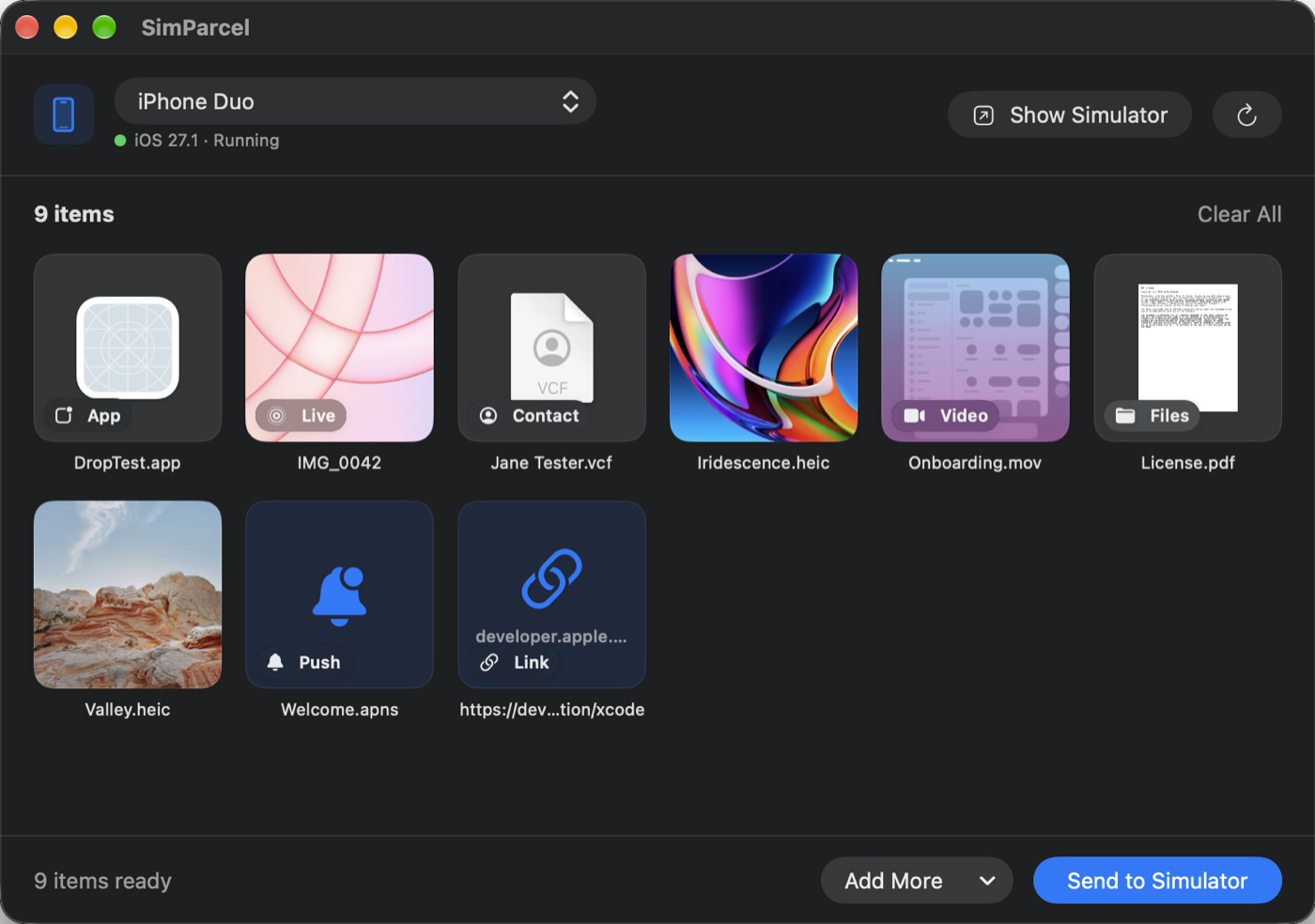
Drop files or whole folders onto the window, or choose them with ⌘O. SimParcel works out what each one is and sends it the right way.
Photos and videos
Added to the simulator's Photos library, with a thumbnail of each one in the queue before you send.
Live Photos
A still image and a video with the same name are sent together and arrive as one Live Photo, not as two separate items.
Apps
Drop a .app built for the simulator and it is installed. Apps go first, so a push or link in the same batch can reach them.
Push notifications
Drop an .apns payload and it is delivered. If the file is missing a key, SimParcel says which one before sending.
Links and deep links
Drag a link from your browser or type one with ⌘L — https:// or myapp:// — and it opens in the simulator.
Contacts and any other file
.vcf cards become contacts. PDFs, JSON, archives and everything else land in Files, under On My iPhone.
The details
- → Every running simulator at once. Choose All Running Simulators to check an iPhone and an iPad layout with one send.
- → Starts the simulator for you. Pick one that isn't running and it boots and opens before anything is sent.
- → Failures stay in the queue. Anything that doesn't go through keeps its error, so you can fix it and retry.
- → Built on Apple's own tools. SimParcel runs xcrun simctl from your Xcode — there's no private API and nothing to configure.
Requires macOS 14 or later and Xcode with at least one iOS Simulator runtime. Because it runs Xcode's command line tools, SimParcel is distributed directly rather than through the Mac App Store.
Privacy, briefly
SimParcel has no account, no analytics and no crash reporting. The files you drop go from your Mac to simulators on the same Mac, and nowhere else.
The one network request it makes is a daily check for updates, which fetches a small file from GitHub. It sends no information about you or your Mac.
Support
Found a bug, or want a feature? Open an issue on GitHub, or write to me — support requests go straight to the person who makes the app.
SimParcel is an independent app and is not affiliated with, endorsed by, or sponsored by Apple. Xcode, iOS, iPhone and Mac are trademarks of Apple Inc. All product names, logos, and brands are the property of their respective owners.